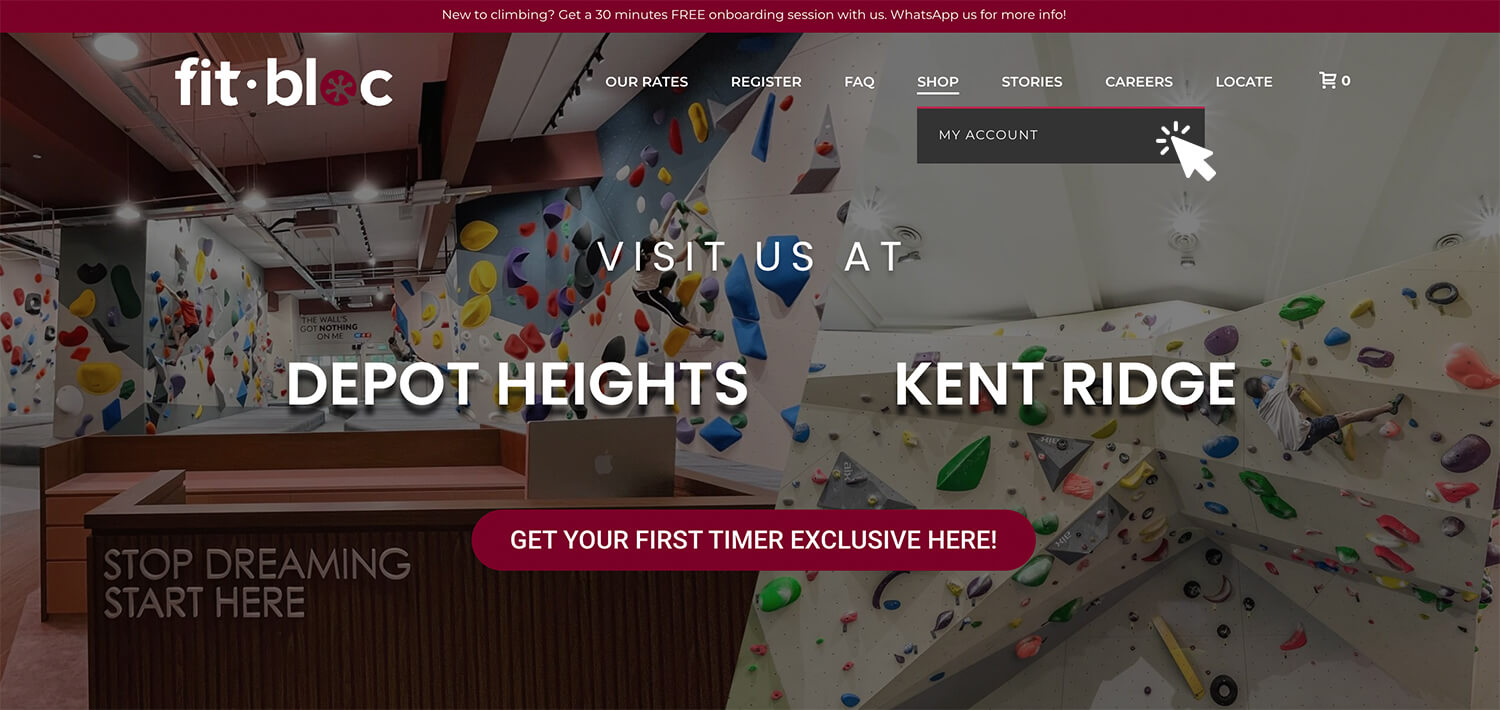
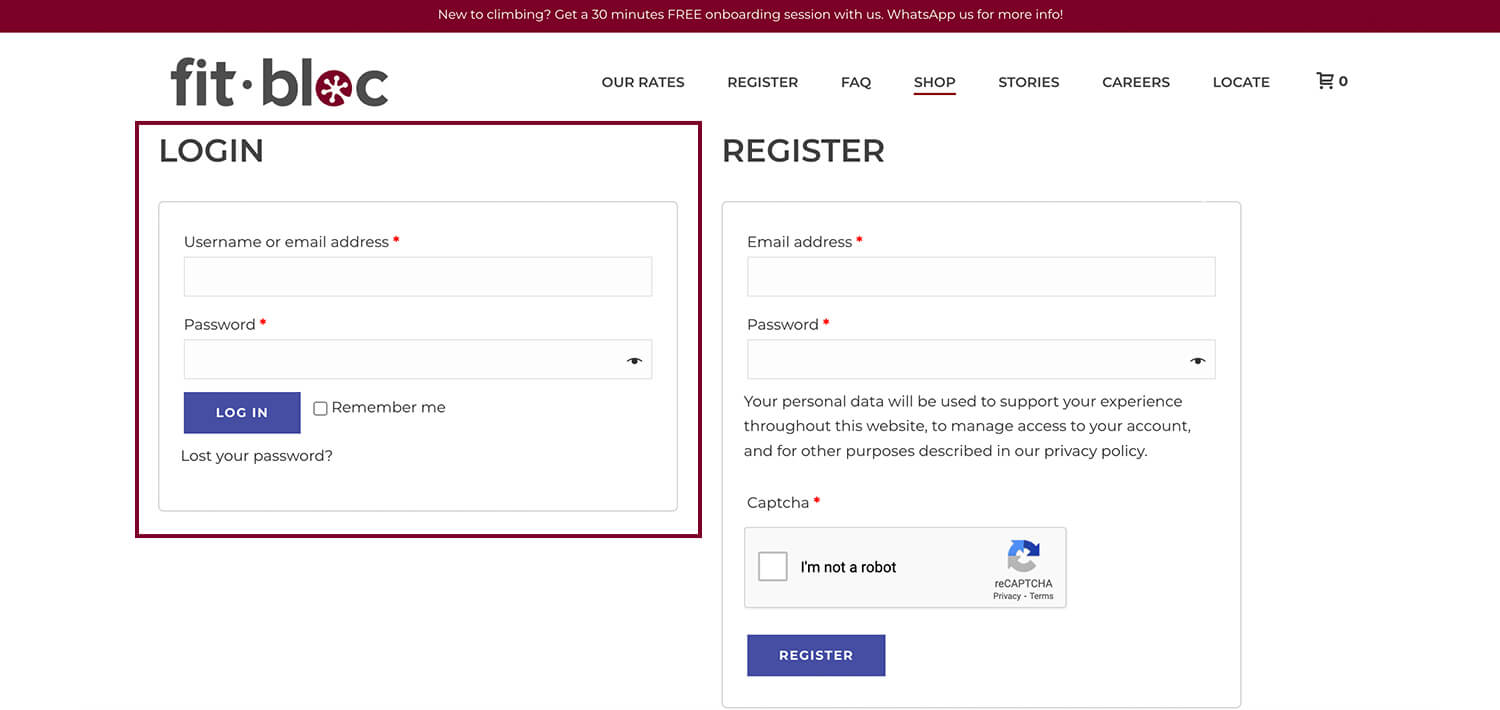
2. Login with the email and password you used at point of purchase.
[/mk_fancy_title]
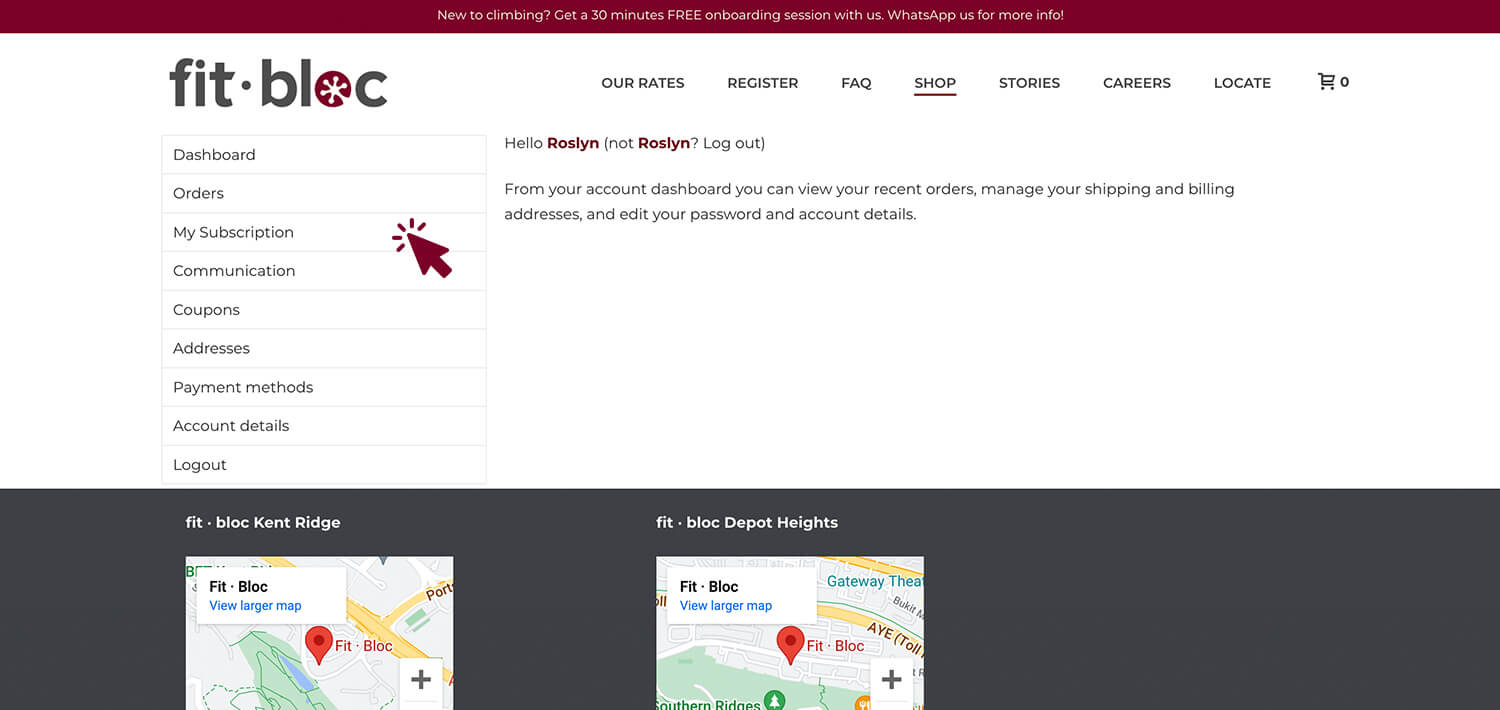
[mk_fancy_title size=”20″ force_font_size=”true” size_phone=”” font_family=”Montserrat” font_type=”google”]3. Click on “My Subscription”.[/mk_fancy_title]
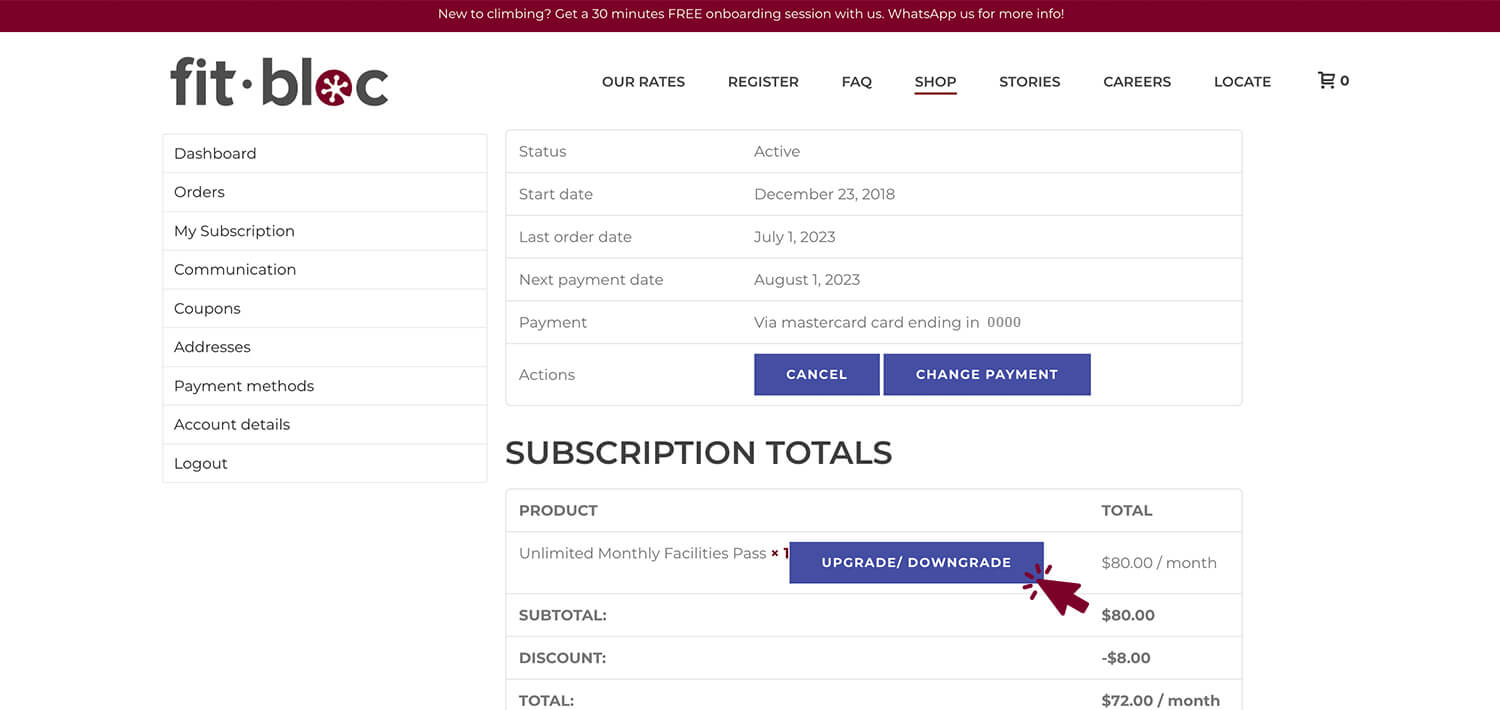
[mk_fancy_title size=”20″ force_font_size=”true” size_phone=”” font_family=”Montserrat” font_type=”google”]4. Click on “Upgrade/Downgrade”.[/mk_fancy_title]
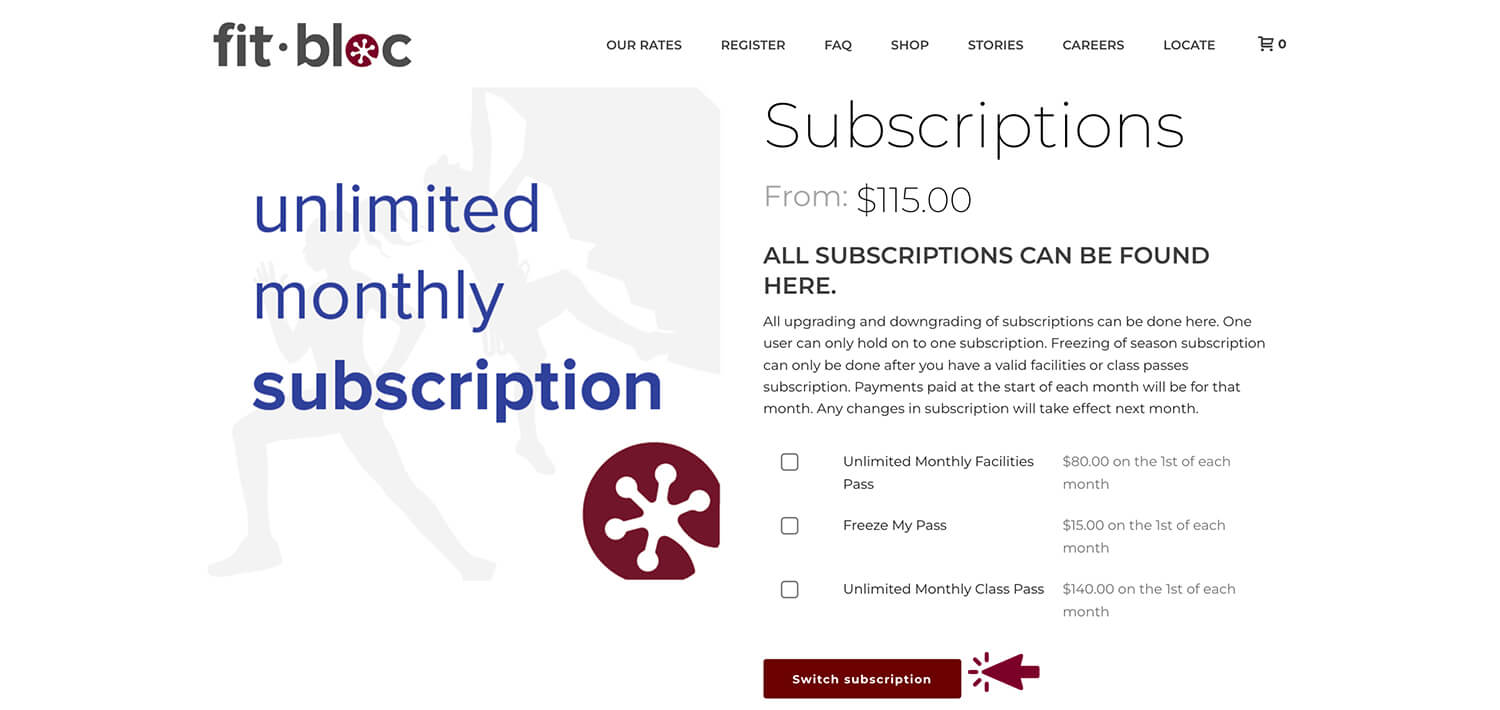
[mk_fancy_title size=”20″ force_font_size=”true” size_phone=”” font_family=”Montserrat” font_type=”google”]5. Select the new subscription you’d like and click “Switch Subscription”.[/mk_fancy_title]
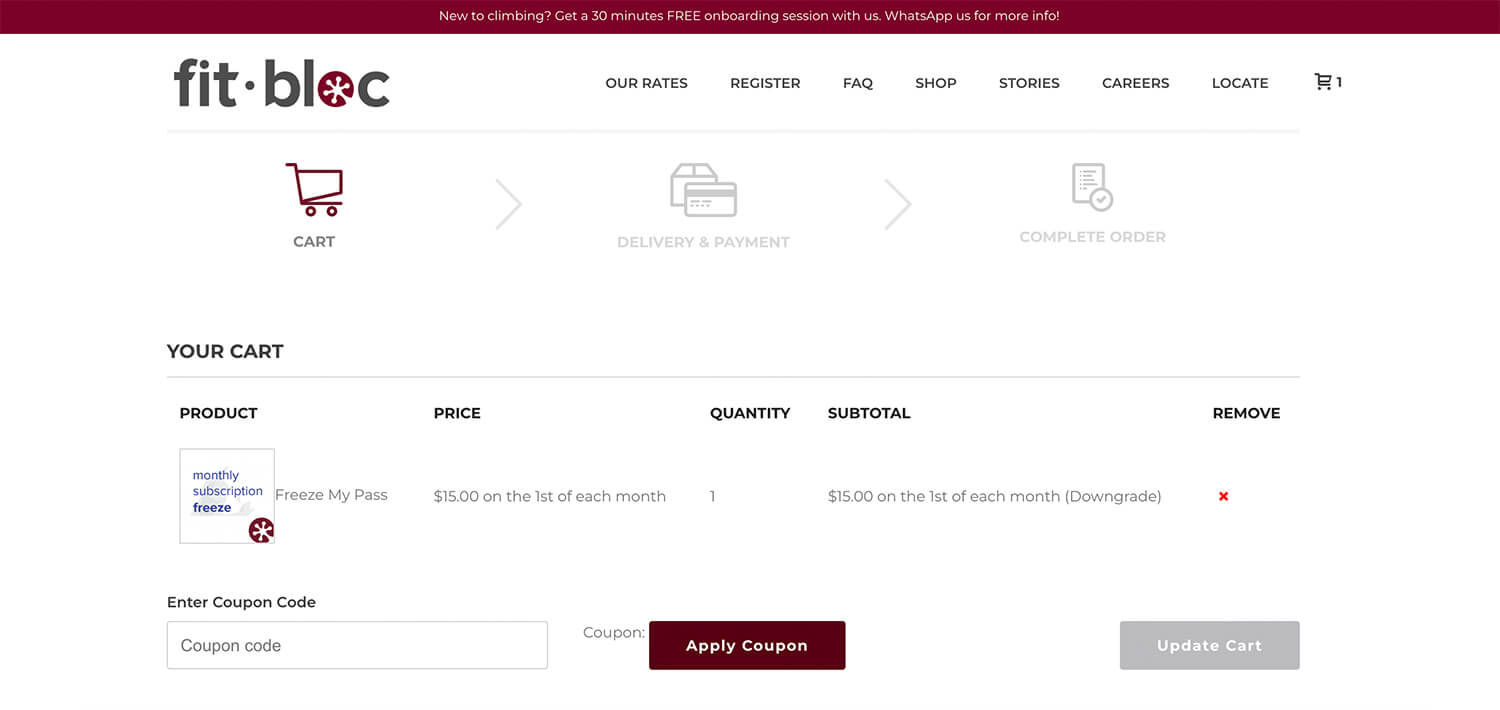
[mk_fancy_title size=”20″ force_font_size=”true” size_phone=”” font_family=”Montserrat” font_type=”google”]6. Enter promo code (if any) and check out as usual. If you are entitled to any discounts, you will need to apply a new promo code. You may request for it over the counter or via WhatsApp.[/mk_fancy_title]