[mk_page_section vertical_align=”center” bg_image=”https://new.fitbloc.com/wp-content/uploads/2023/07/upgradedowngrade_banner2-scaled.jpg” bg_position=”center top” bg_stretch=”true” enable_3d=”true” video_color_mask=”#515151″ video_opacity=”0.4″ adaptive_height=”true” min_height=”60″ has_bottom_shape_divider=”true” sidebar=”sidebar-1″]

[mk_fancy_title color=”#ffffff” size=”56″ force_font_size=”true” size_phone=”30″ font_weight=”bold” txt_transform=”uppercase” letter_spacing=”13″ margin_top=”180″ font_family=”Montserrat” font_type=”google” align=”center” drop_shadow=”true”]Upgrade
Downgrade[/mk_fancy_title]
[/mk_page_section]
[mk_padding_divider]
[mk_fancy_title size=”20″ force_font_size=”true” size_phone=”” font_family=”Montserrat” font_type=”google”]

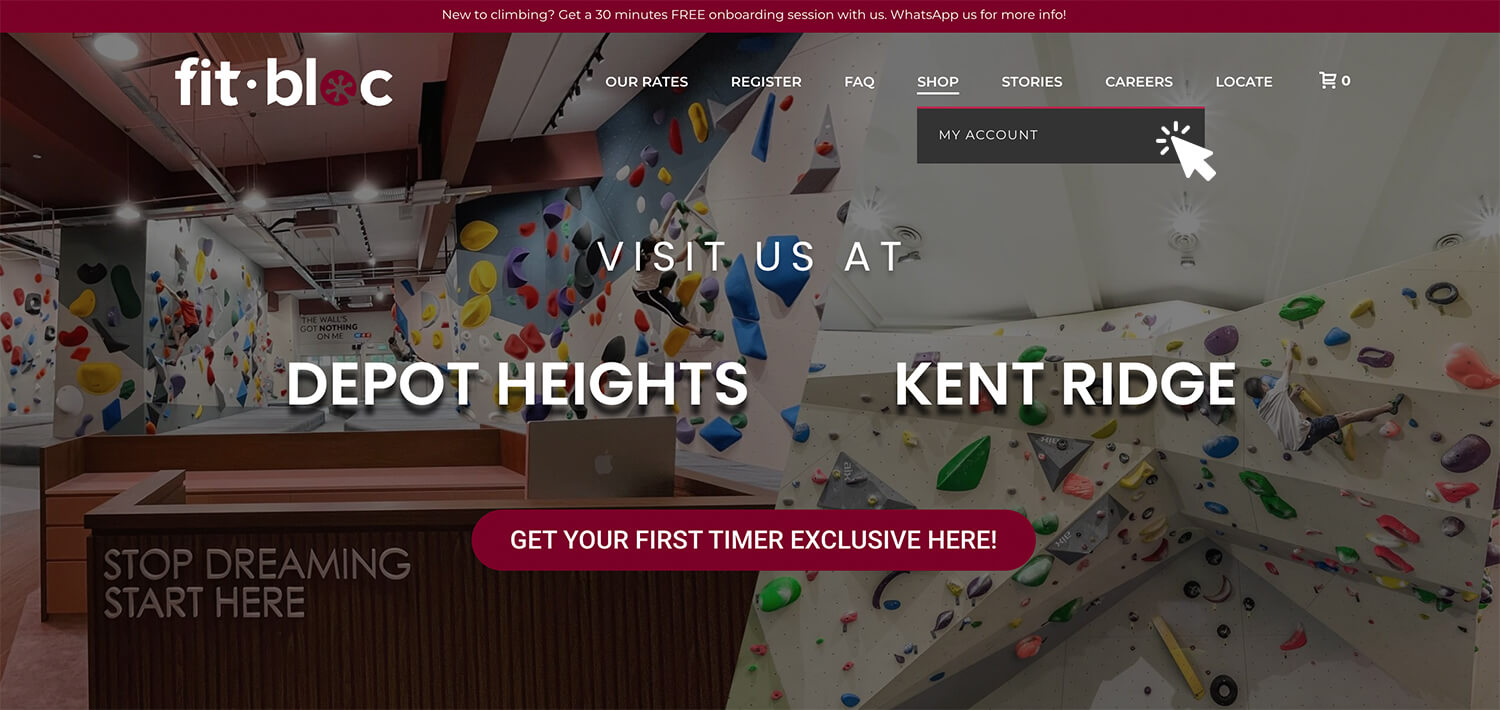
  1. Head to https://new.fitbloc.com and click on “My Account”.

[/mk_fancy_title]

How to upgrade/downgrade 02
[mk_fancy_title size=”20″ force_font_size=”true” size_phone=”” font_family=”Montserrat” font_type=”google”]

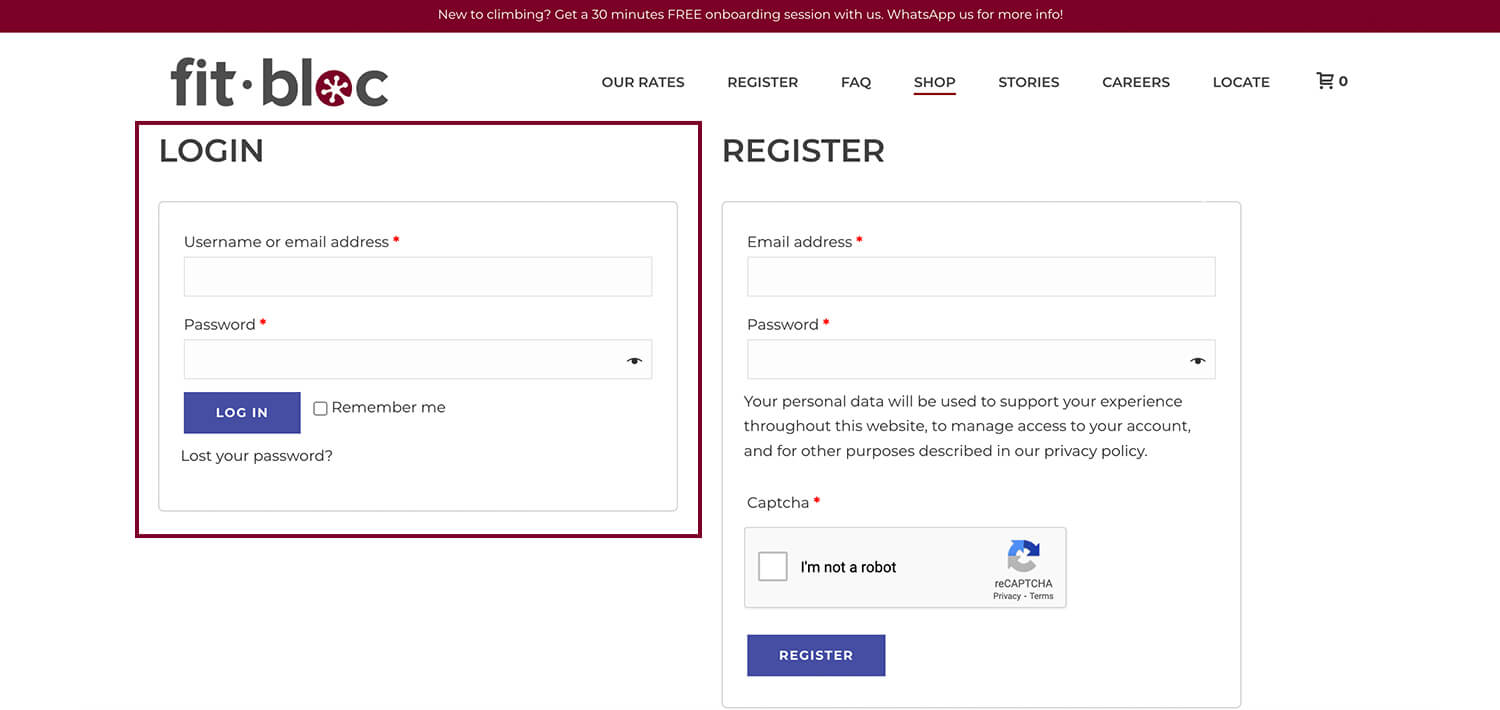
2. Login with the email and password you used at point of purchase.

[/mk_fancy_title]

Upgrade downgrade 03
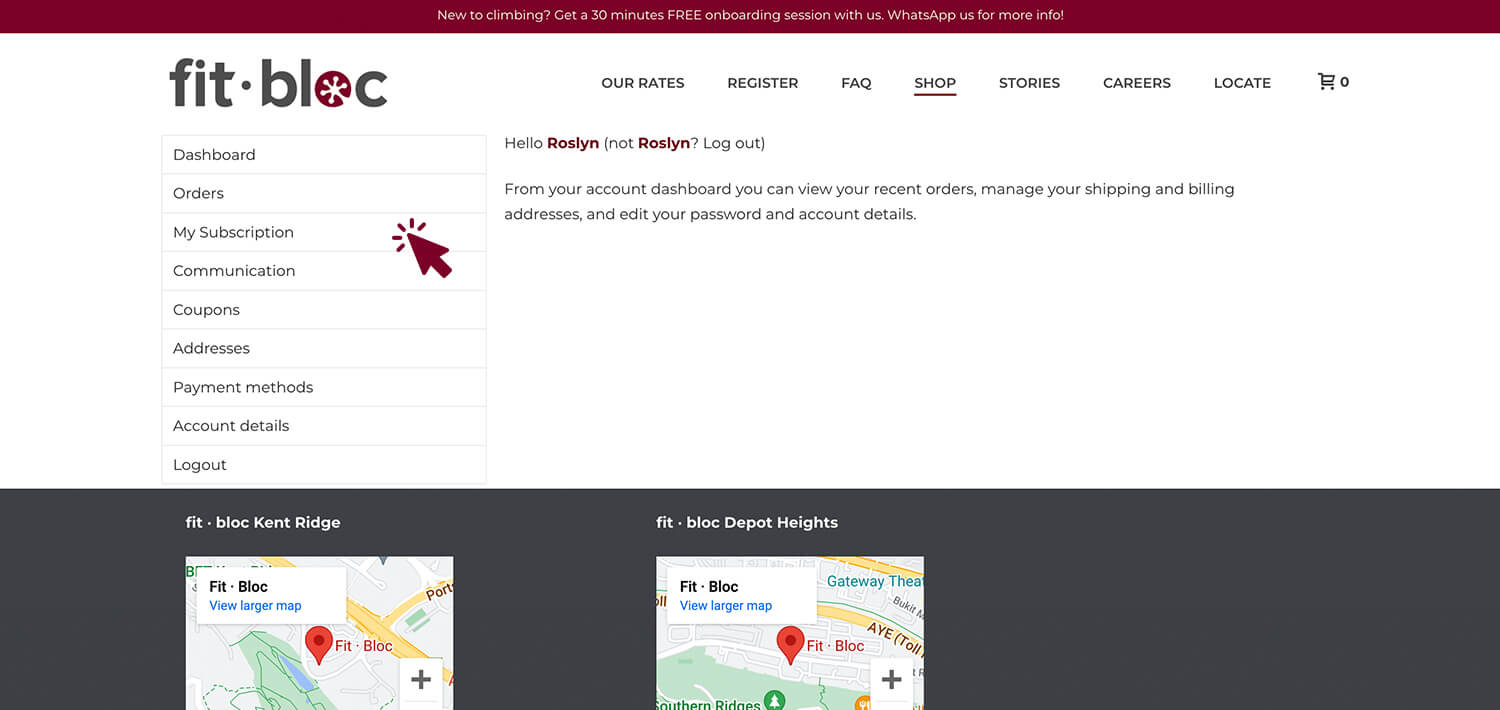
[mk_fancy_title size=”20″ force_font_size=”true” size_phone=”” font_family=”Montserrat” font_type=”google”]3. Click on “My Subscription”.[/mk_fancy_title]
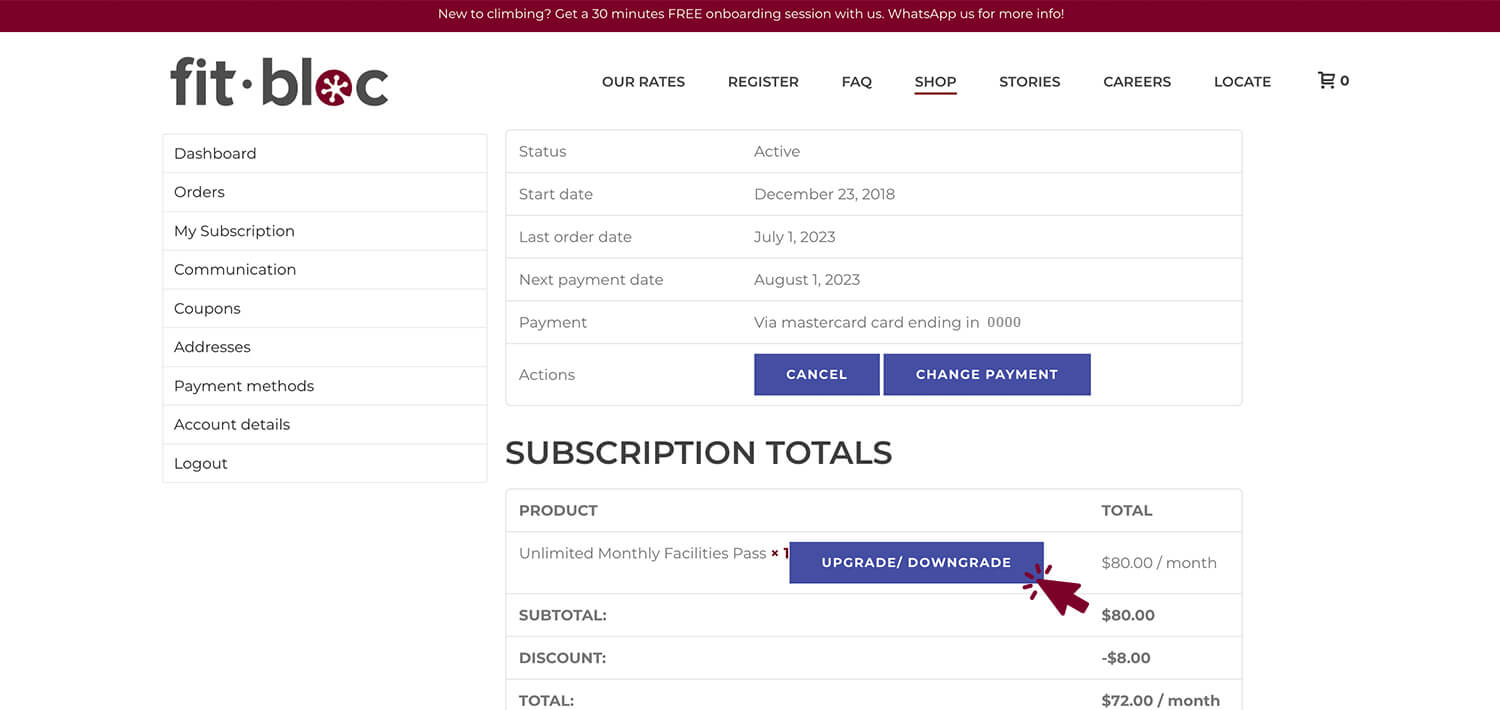
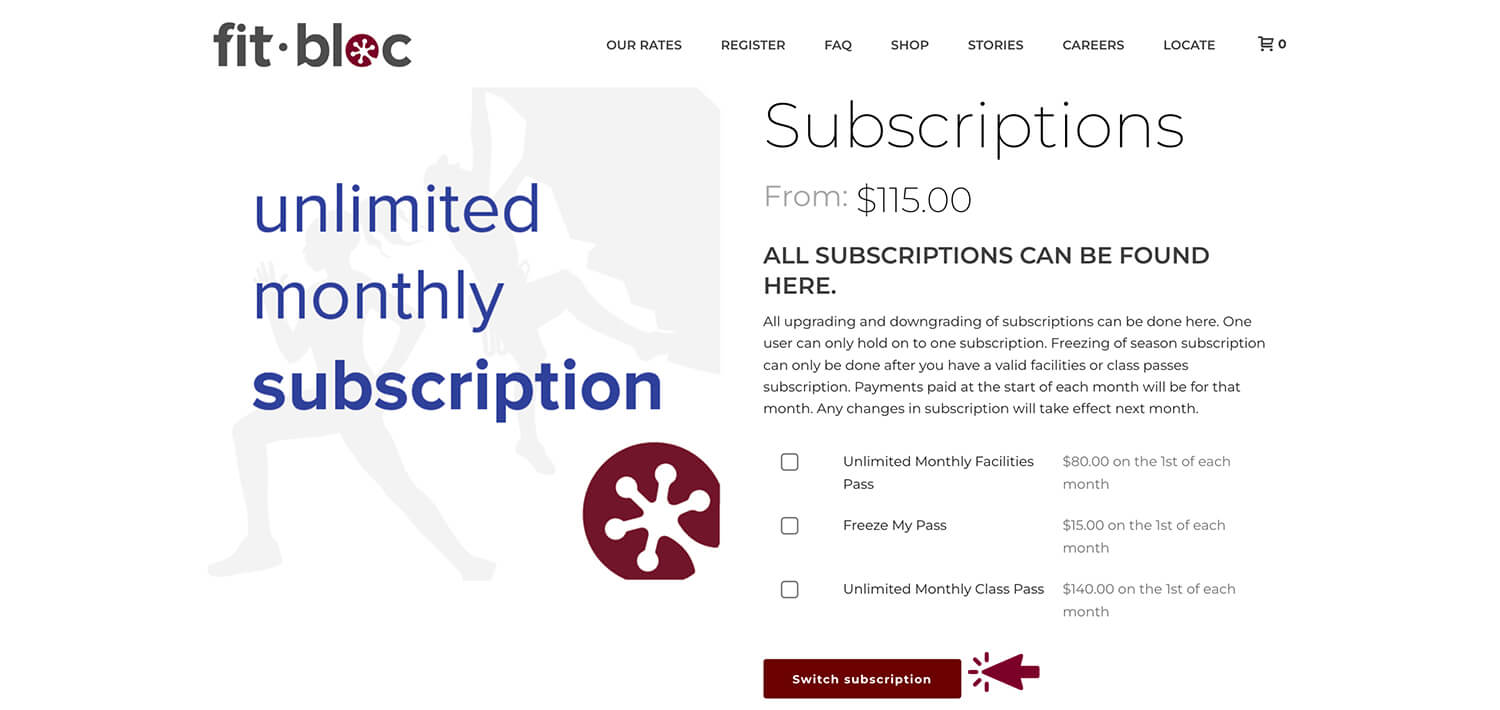
[mk_fancy_title size=”20″ force_font_size=”true” size_phone=”” font_family=”Montserrat” font_type=”google”]4. Click on “Upgrade/Downgrade”.[/mk_fancy_title]
[mk_fancy_title size=”20″ force_font_size=”true” size_phone=”” font_family=”Montserrat” font_type=”google”]5. Select the new subscription you’d like and click “Switch Subscription”.[/mk_fancy_title]
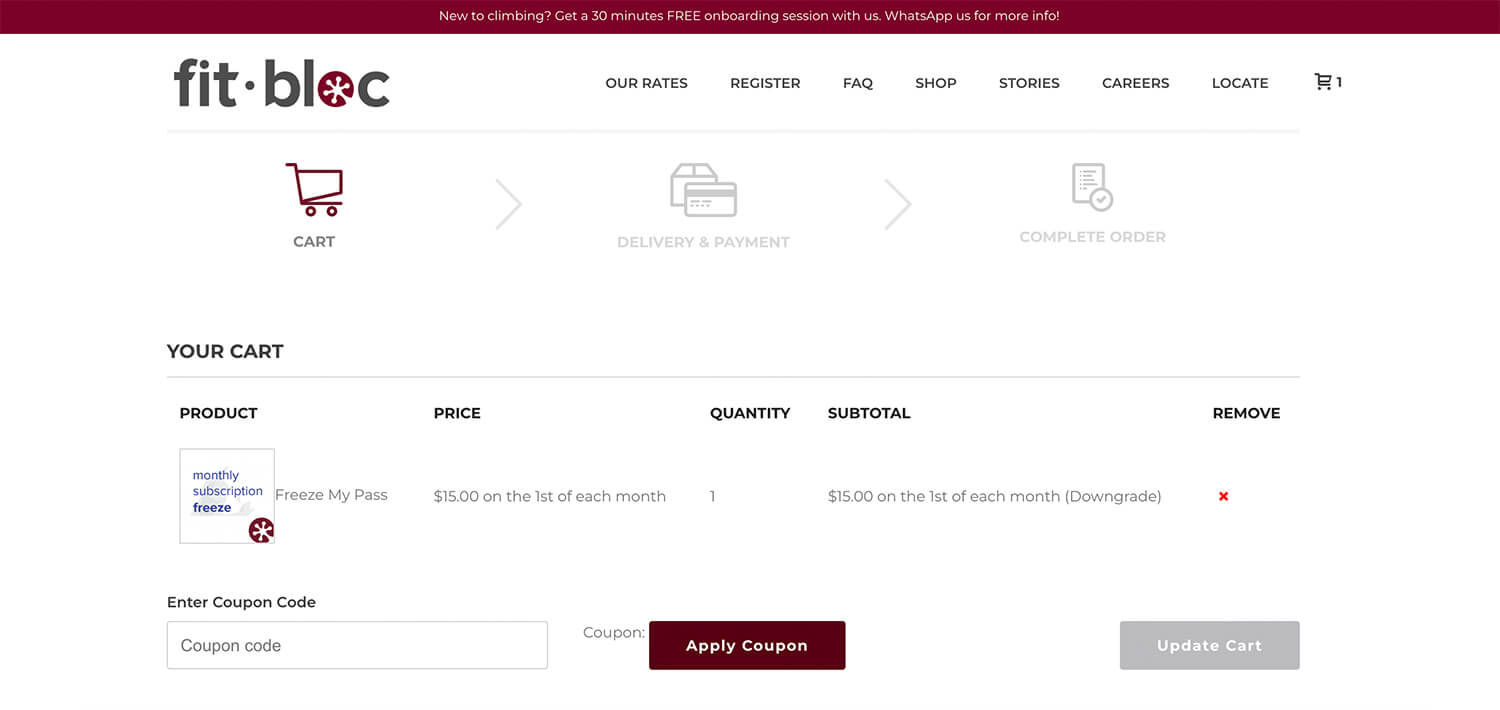
[mk_fancy_title size=”20″ force_font_size=”true” size_phone=”” font_family=”Montserrat” font_type=”google”]6. Enter promo code (if any) and check out as usual. If you are entitled to any discounts, you will need to apply a new promo code. You may request for it over the counter or via WhatsApp.[/mk_fancy_title]